







Meals-on-Wheels Round Up Donations
We integrate with the Meals on Wheels Round-Up Donations program so your customers have the option t
 January 28, 2026
Manual Card Entry is used to process transactions over the phone or without a terminal. It involves entering card details manually, either through a terminal or a secure web component. This method is considered high-risk and can incur higher interchange fees.
Manual Card Entry lets you key in card details directly, so it is useful for phone orders and on‑site service work without a terminal. These transactions are treated as Card Not Present, which generally carry higher interchange and higher fraud risk than Card Present payments.
There are two options for using the manual entry option to accept a payment:
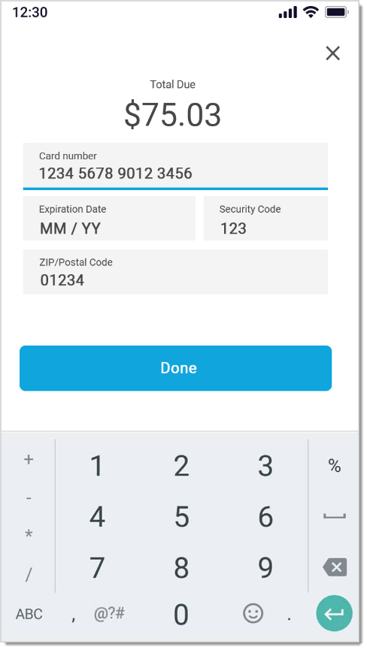
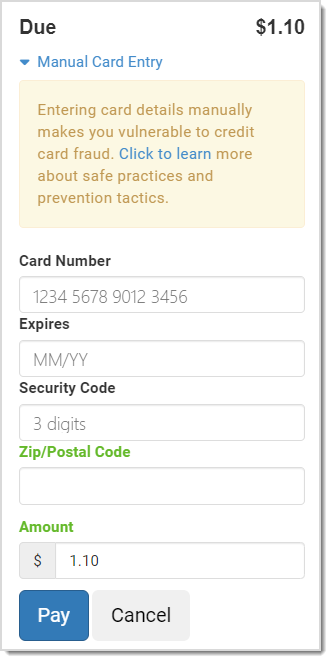
Manually-entered transactions are higher risk. Use the practices below to reduce fraud and chargebacks:
Because these transactions run through as Card Not Present, expect higher interchange compared to card‑present transactions, especially if you price on IC+ instead of a flat rate.
Q: Is Manual Card Entry secure?
A: Yes, when you enter details into secure fields from your provider. Always collect AVS (Zip/Postal Code) and Security Code, and keep order documentation.
Q: Why are fees higher for keyed transactions?
A: Card networks treat keyed payments as higher risk since there is a greater possibility for successful fraud. Interchange and network assessments are typically higher than for card‑present transactions.
Q: When should I use the virtual terminal?
A: Use it only when your POS is unavailable or when directed by your payment provider. Otherwise, use the Front End's Manual Entry flow.
Q: I have a question, but I can't find my answer here, how do I get more assistance?
A: If you need immediate assistance, the IT Retail team is available 24/7. Feel free to contact our support team at: 877-752-0625. Or you can email us at support@marktpos.com and we will respond within 24-hours.
Is this page helpful?
×Help us improve our articles