







Setting Up Receipt Texting
The IT Retail system lets you send customers copies of their receipts via text message, which saves
 January 26, 2026
Adding the IT Retail Front End application to your Windows taskbar provides you with a shortcut, so there's no need to search for a way to launch the system. Read on to see how you can add the application's icon to your taskbar!
Please Note: This information only applies to devices using Windows, since IT Retail only runs in that operating system.
On the bottom of your screen, locate the Windows Icon in the taskbar. Click on it to open your applications menu.
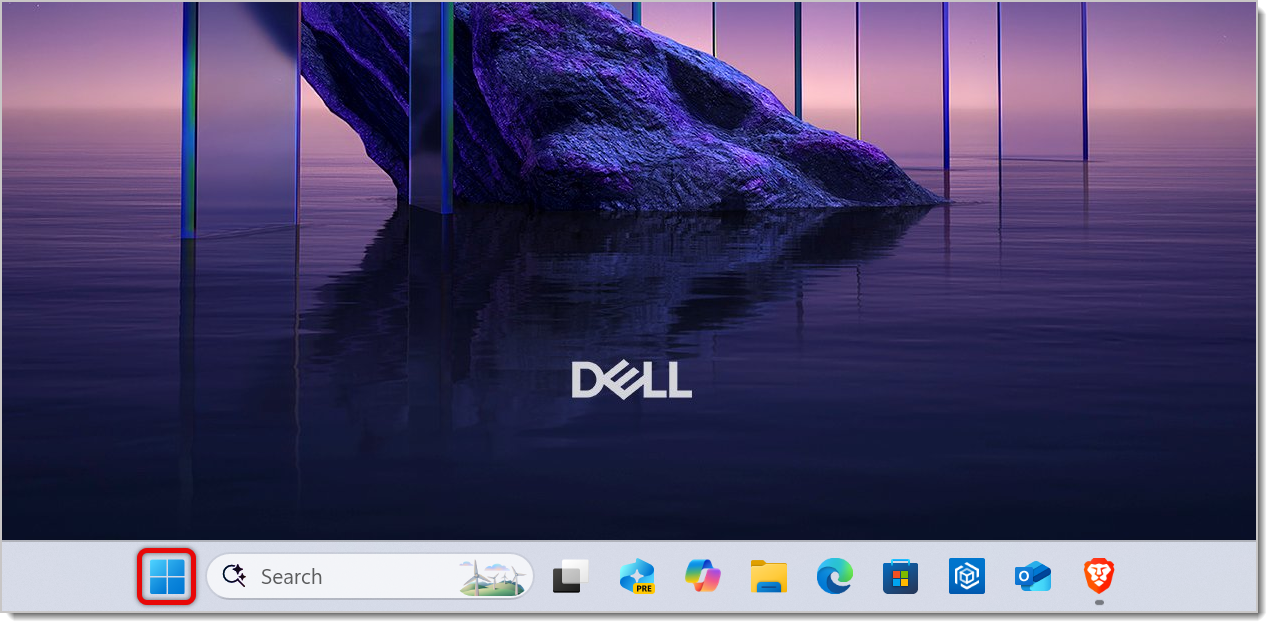
If you're using a Windows 11 device, you can use the Search bar to find Retail Next or MarktPOS, or use the All button to scroll through your items and find it.
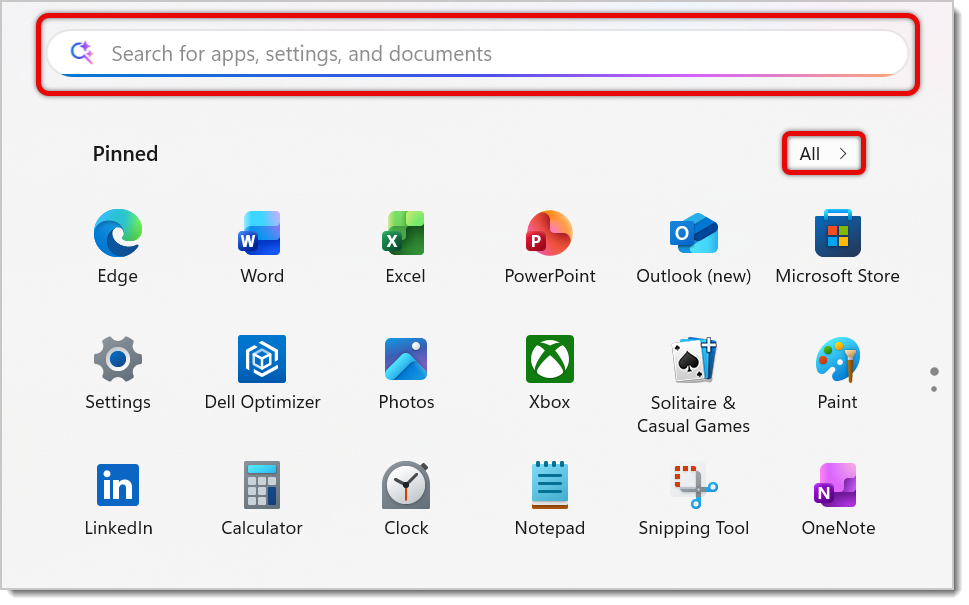
Right-click on the IT Retail icon. From the resulting options, click on Pin to Taskbar.
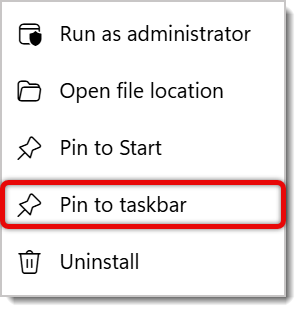
The IT Retail Front End application will now be on your device's taskbar, so moving forward you can simply click or tap on the icon to open it.
Q: I have a question, but I can't find my answer here. How do I get more assistance?
A: If you need immediate assistance, the IT Retail team is available 24/7. Feel free to contact our support team at 877-752-0625. You can also email us at support@marktpos.com, and we will respond within 24 hours.
Is this page helpful?
×Help us improve our articles