Suggest a Feature

October 01, 2024
The IT Retail team cares about your user experience, so we're always looking for ways to improve the system. If you want to submit a suggestion for a feature, we'll show you where to do that in the Back End. Read on to find out how to submit a suggestion and add your vote to existing ones!
Suggest a Feature
-
To suggest a feature, log into the IT Retail Back End.
-
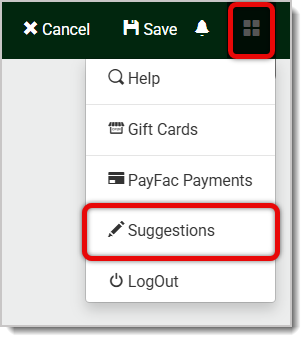
Locate the Four-Square icon in the top-right corner of the page and click on it to open the Admin menu.
-
Click on Suggestions to open the Suggestions portal.
-
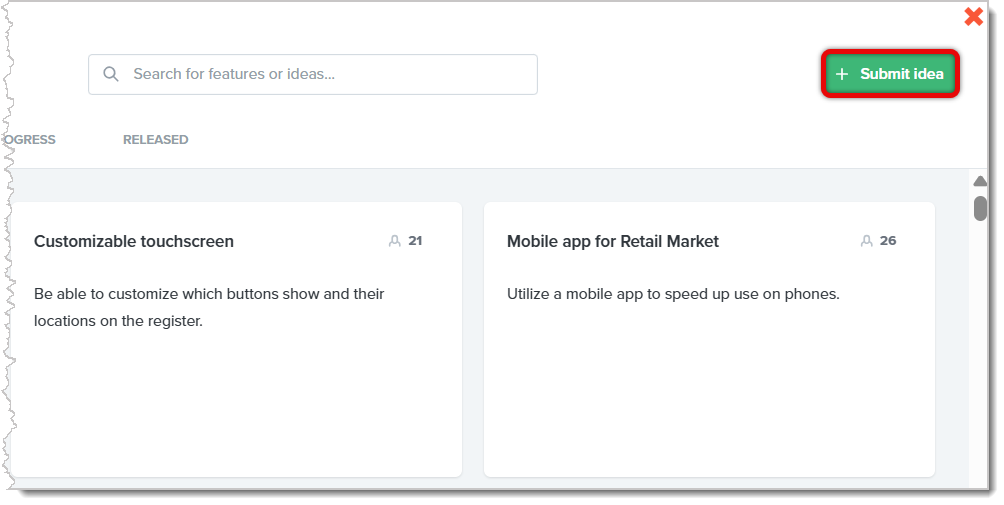
To submit your own suggestion, or to view existing ones, click on the Submit Idea button located in the top-right corner.
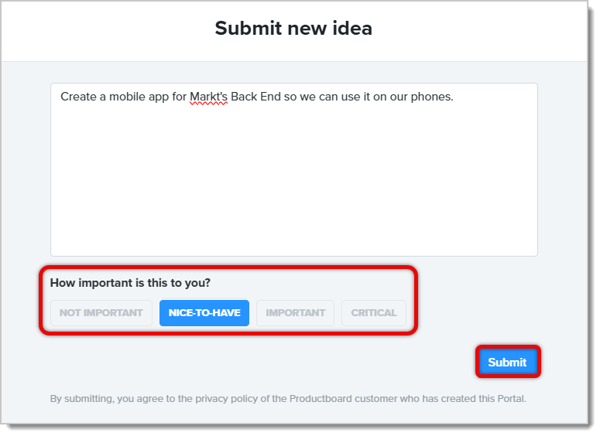
- In the Submit New Idea window, enter a full description of your suggestion. Please include specific details about the area of the system where you want your suggestion to happen if it’s for an existing area. Describe how your suggestion will function using specific language so our Product team can fully understand what you want.
- Click on one of the four Importance buttons below the text box, which will indicate how important this idea is to you. Your options are Not Important, Nice-to-Have, Important, and Critical. These help the development team know which ideas to prioritize. All ideas, regardless of importance to you, will be given the same level of attention by our Product team.
- Once you're finished, click on the Submit button.
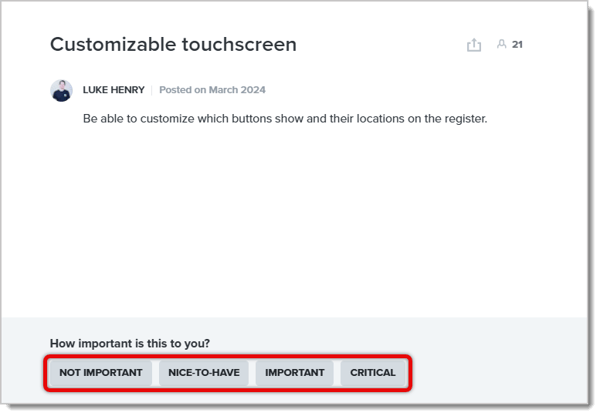
- In the Suggestions portal, you can also view existing suggestions submitted by other users. Click on one to read the full suggestion.
- You can click on options from Not Important, Nice-to-Have, Important, and Critical to vote on the idea. The more votes an idea gets, the higher its priority to the IT Retail development team.
- You can also use the top bar of the portal to view submissions that are under consideration, in progress, or released.

Related Articles
Troubleshooting Networking Problems
Tips for Detecting Fraud
Frequently Asked Questions
Q: Is there a limit to how many suggestions I can submit?
A: No. You can submit as many as you like, and you can vote on all that you like. Just be careful to make sure each submission is unique. If you send in suggestions that are worded differently but are essentially the same, the 'duplicate' requests will be removed.
Q: I have a question, but I can't find my answer here. How do I get more assistance?
A: If you need immediate assistance, the IT Retail team is available 24/7. Feel free to contact our support team at 877-752-0625. You can also email us at support@marktpos.com, and we will respond within 24 hours.
The IT Retail system lets you send customers copies of their receipts via text message, which saves
When you want to connect your barcode scanners to IT Retail, you'll first have to set up the scanner
Variable weight barcode labels are for items that are priced by weight. For example, for meat and po








Is this page helpful?
×Help us improve our articles