Employees Report

December 26, 2025
You can use the Employees Report to view your top-performing employees and see how their sales compare to your store's overall average. Keep reading to find out how you can quickly access and use this report!
Employees Report
Start by clicking on Employees > Employees Report.
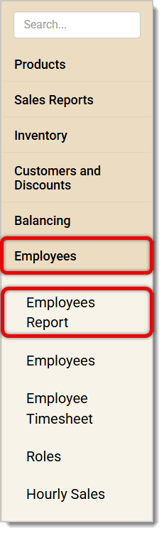
Once you've opened the Report, you can view the data on individual employees and their performance metrics. Here's how you can use the report:
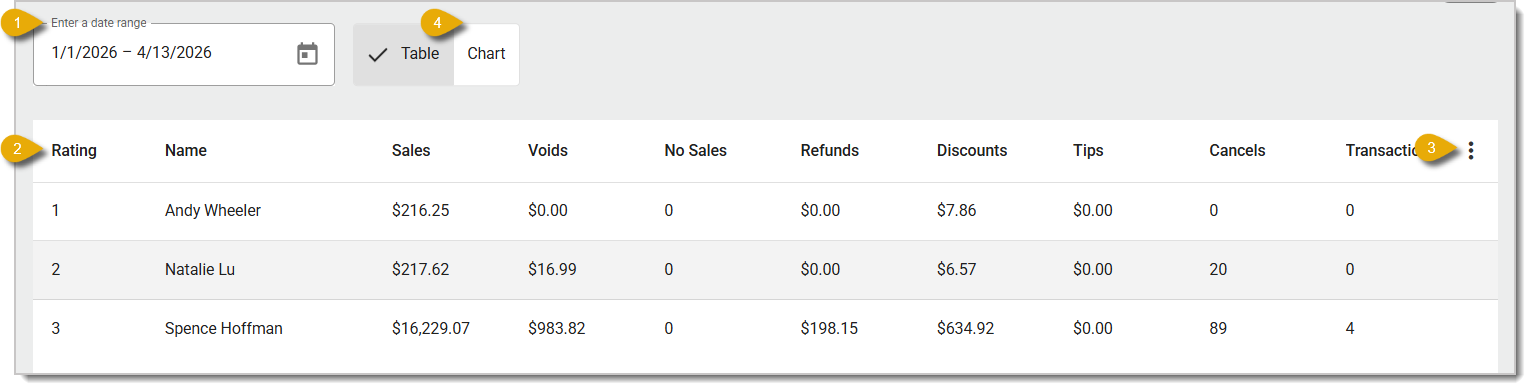
- Date Range — The report will show data from the last 30 days by default. You can change the time period by clicking on the Calendar icon at the top of the page.
- Employees — Each entry in this table will show data on each employee. You'll see their Rating (currently non-functional, so feel free to ignore this column), Name, Sales dollar total, number of Voids, number of No Sales, total dollar amount of Refunds, Discounts, and Tips, number of Cancels, and the average number of Transactions Per Day.
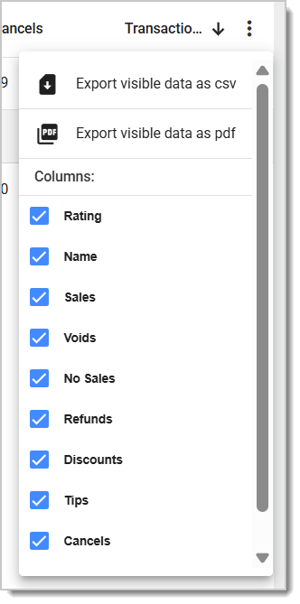
- Action Menu — Click on the Three-Dot Stack icon to open the Action Menu so you can export the data as a CSV or PDF file. You can also select columns to show or hide.
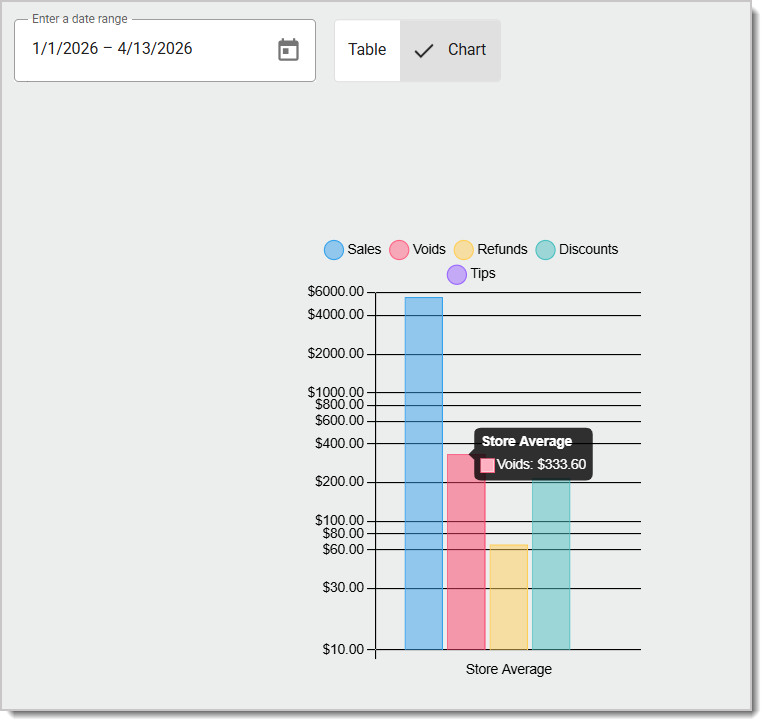
- Viewing Mode — Click on the Table or Chart tab to switch the report's viewing mode. Table will show the data in a table like the image above. Chart shows the store's average dollar values for register activities in a bar chart. In the Chart view, you can roll your cursor over a bar to see the exact value. For example, in the image below, you can see that the store's average number of Voids in the time period was $333.60.
Related Articles
Employees
Customer Report
Employee Removal
Employee Timesheet
Roles
Frequently Asked Questions
Q: I have a question, but I can't find my answer here. How do I get more assistance?
A: If you need immediate assistance, the IT Retail team is available 24/7. Feel free to contact our support team at 877-752-0625. You can also email us at support@marktpos.com, and we will respond within 24 hours.
If you want to offer your customers the option of self-checkout you can do so in the IT Retail syste
Use the Employees page to add new employees, edit existing employee details, and remove employees. I
When you want to keep track of your employees' hours for payroll, use the Employee Timesheet in the








Is this page helpful?
×Help us improve our articles