How to Apply a Discount in the Front End

December 01, 2025
The IT Retail system allows you to create as many discounts as you might need from the Back End and easily add them to items or to entire transactions on the Front End. This article will show you how to apply your discounts within transactions. Take a look!
Apply Item Discounts
Here is how to apply a discount to an eligible item in the Front End:
- Either scan in the item's UPC or PLU barcode or add it from the Product Lookup area.
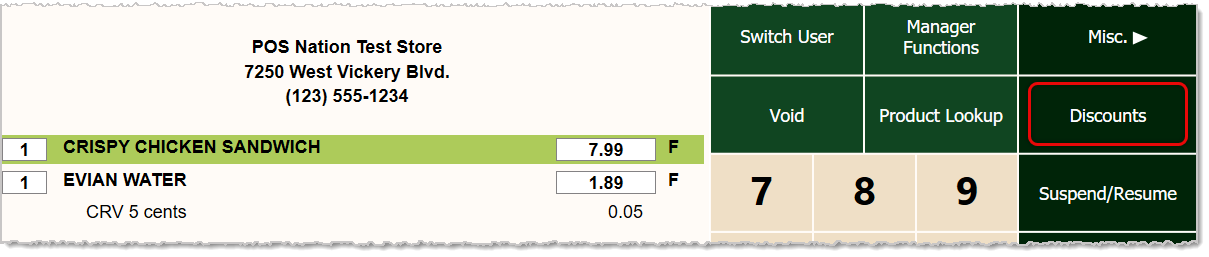
- With the item highlighted (click on it to highlight it), click or tap the Discounts button on the right.
- In the Discounts window, find the discount you want (it will say Item at the bottom for the discount type) and click or tap on it.
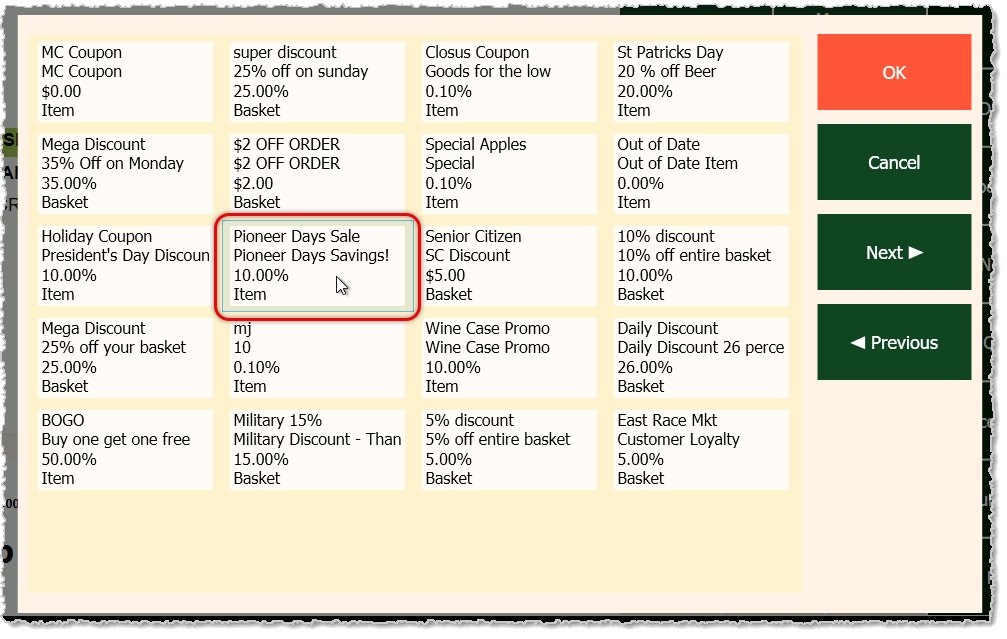
- Click or tap the OK button in the upper right.
- Below the product, you'll see the discount the system applied to the item and the item price. The order total will be reduced accordingly.

Apply Basket Discounts
Here is how to apply a discount to all eligible items in a transaction in the Front End:
- Add all the items the customer will be purchasing to the transaction.
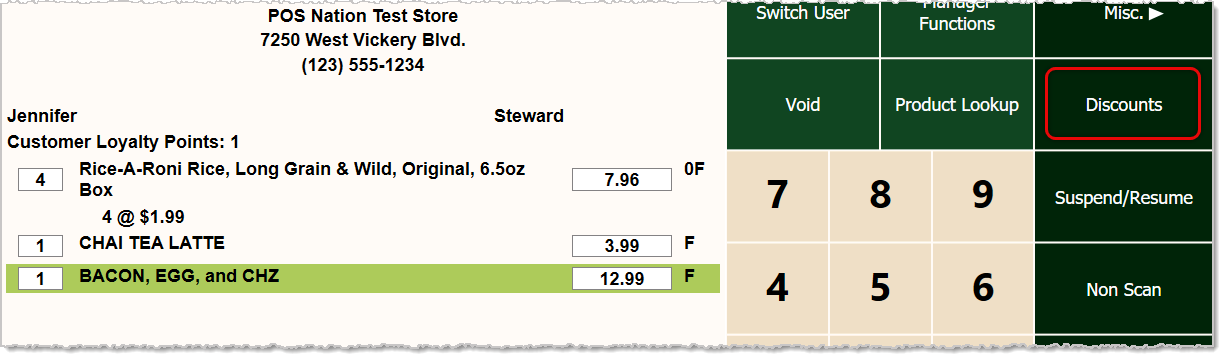
- Click or tap the Discounts button on the right.
- In the Discounts window, find the discount you want (it will say Basket at the bottom for the type) and click or tap it.
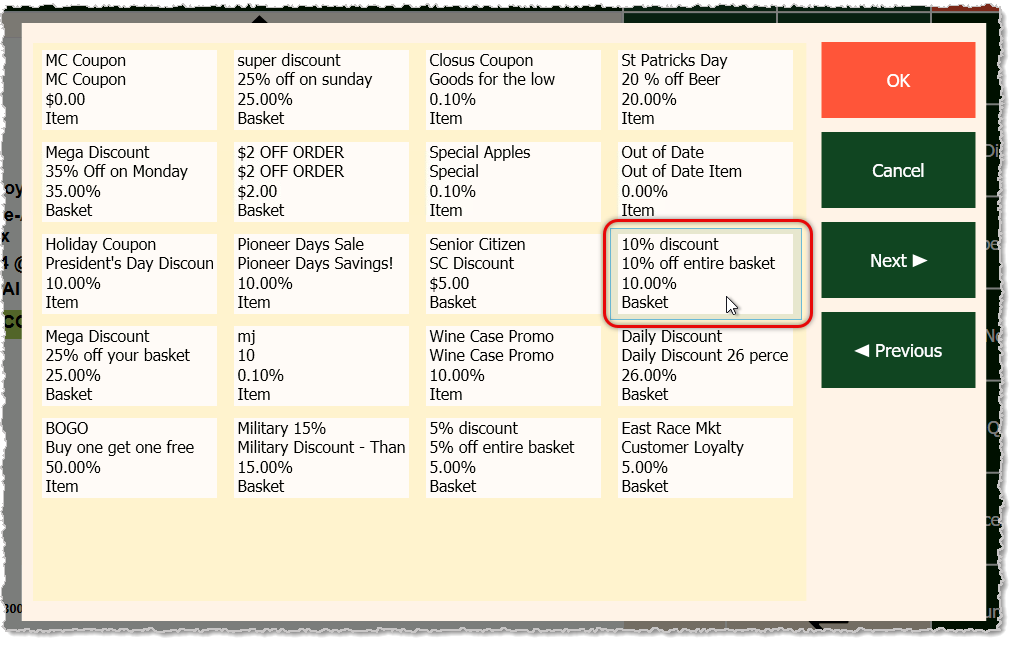
- Click or tap the OK button in the upper right.
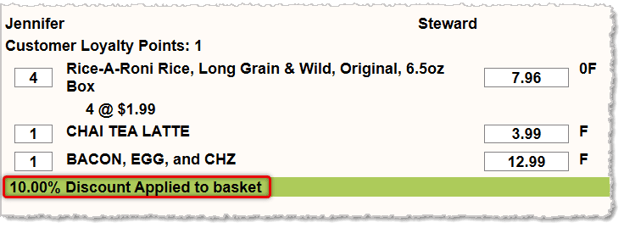
- Below the last item in the Register, you'll see the discount the system applied to the basket. The order total will be reduced accordingly.
Related Topics
Cashier Training
POS Front End Tour
Electronic Coupons
Frequently Asked Questions
Q: I have a question, but I can't find my answer here. How do I get more assistance?
A: If you need immediate assistance, the IT Retail team is available 24/7. Feel free to contact our support team at: 877-752-0625. Or you can email us at support@marktpos.com and we will respond within 24-hours.
Welcome to IT Retail, we’re so glad you’ve chosen our POS for your store! This article will guide yo
Adding products to a customer’s transaction is straightforward. Below is a step-by-step guide on how
You can ring up a product as a Non-Scan item if it doesn’t have a UPC / PLU code or it's not yet reg








Is this page helpful?
×Help us improve our articles