







How to Create Customers in the Front End
If a customer wants to sign up for your store’s membership program, you can add them in the Front En
 October 01, 2024
It is a good idea to train your cashiers to make a customer tax-exempt when the need arises. This article will show you the steps required to change this setting for a customer. Take a look!
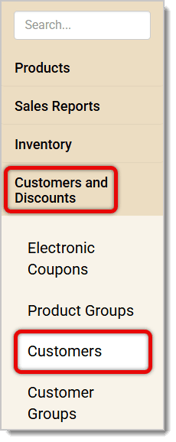
You'll need to log into the Back End and click to open the Customers and Discounts menu, then click to open your Customers list to start.
The Customers page will initially load all customers in the system for the store you're logged into. Follow the steps below to set a customer to be Tax Exempt
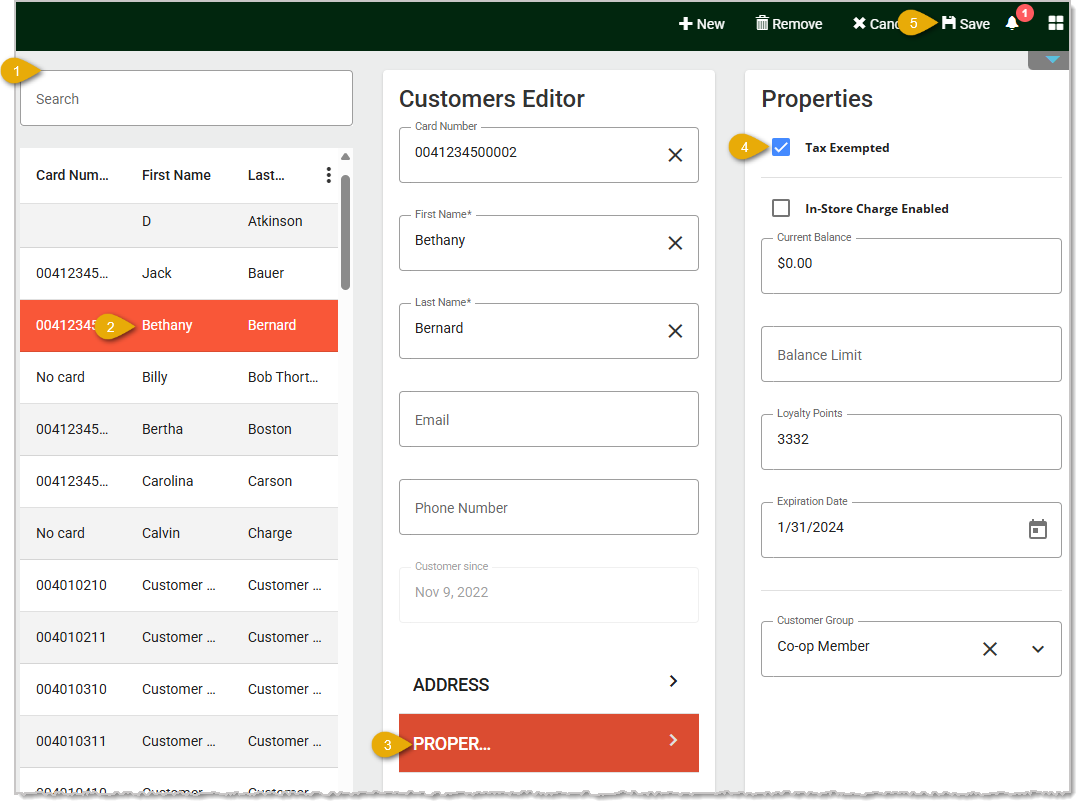
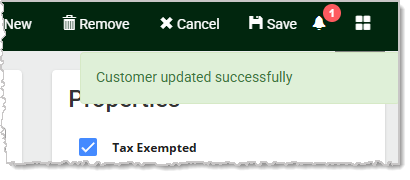
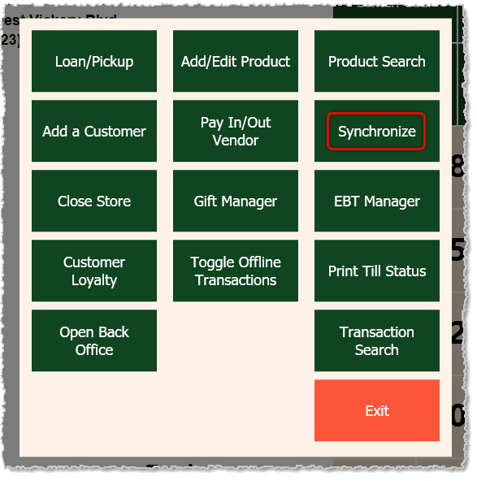
Customers saved this way will not immediately be tax-exempt in the Front End. You will need to open the Manager Functions menu where you can click to Synchronize and that will update the change for you.
Q: Do I need to save the customer's Tax ID?
A: It is recommended that you save the Tax ID for your records. Having this information can help you if you are audited.
Q: I have a question, but I can't find my answer here. How do I get more assistance?
A: If you need immediate assistance, the IT Retail team is available 24/7. Feel free to contact our support team at 877-752-0625. You can also email us at support@marktpos.com, and we will respond within 24 hours.
Is this page helpful?
×Help us improve our articles