







Cashier Training
Welcome to IT Retail, we’re so glad you’ve chosen our POS for your store! This article will guide yo
 October 27, 2025
If your store operates in an area that requires sales tax, you can set that up in the IT Retail Back End so they automatically apply to transactions in the Front End. The process of adding Taxes is simple, so read on to see it for yourself!
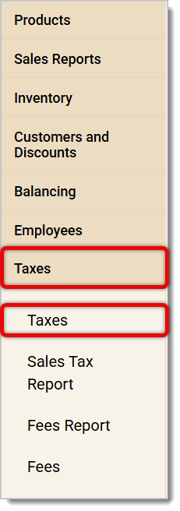
To access the Taxes page in the Back End, go to Taxes > Taxes in the main menu on the left.
Once you've opened the Taxes page, you'll be able to create a new Tax for your store with the following steps:
Click on Save on the top right corner of the page.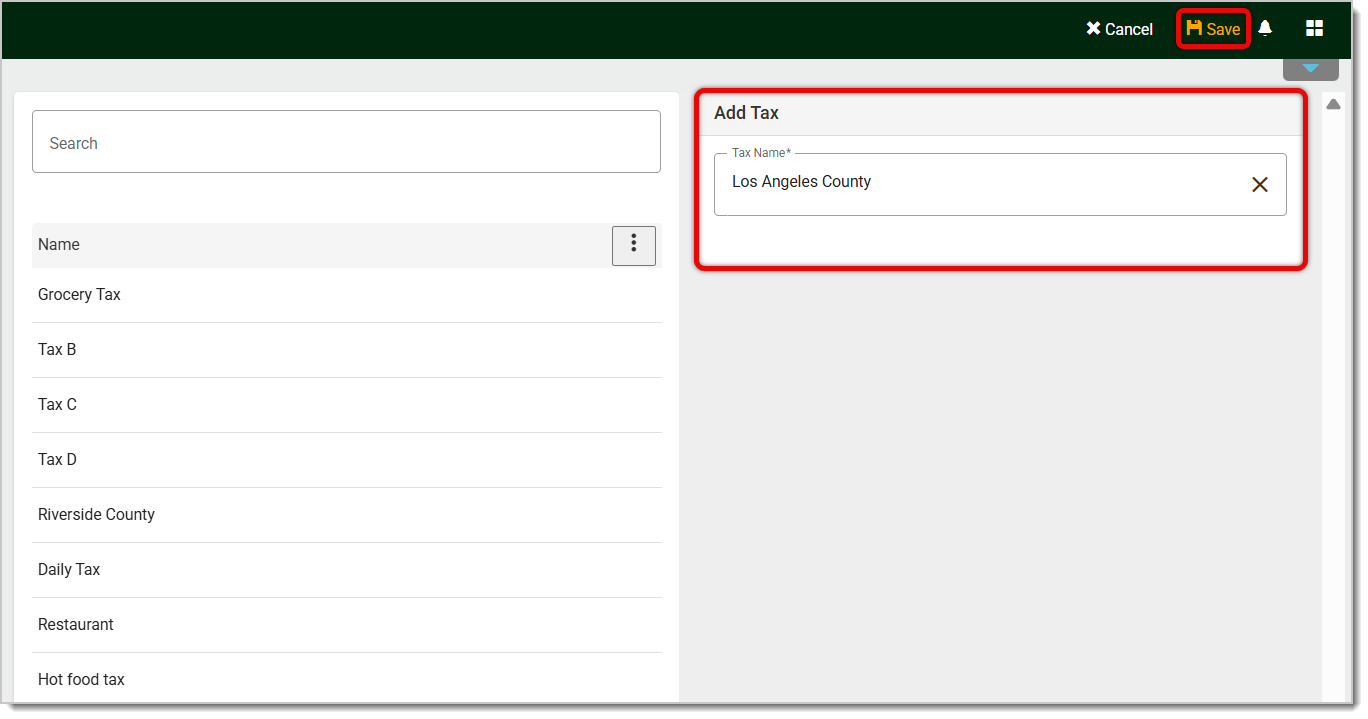
Now that you've added a Tax, click on its Name in the Taxes list on the left. Selecting a Tax will highlight it, as pictured below.
Click on the Add Area Rate button on the right.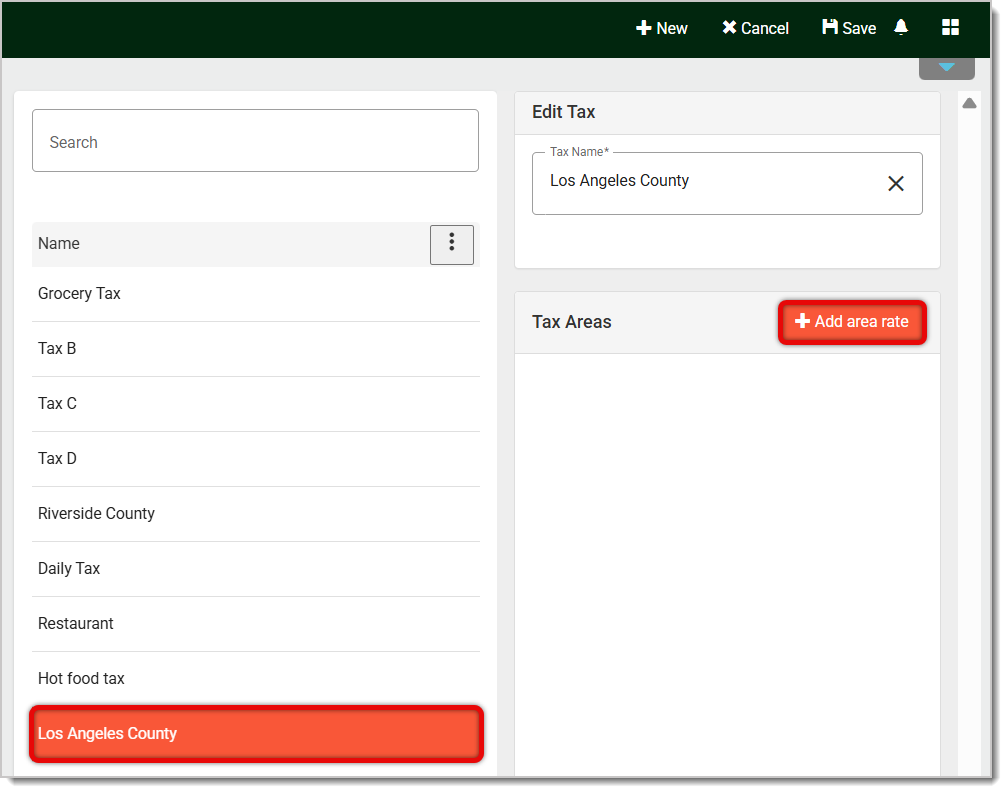
Now add the Tax Rate (in percentage points) and click in the Area field to open a list of your saved Areas. Click on the one you want.
Click on Save in the upper right.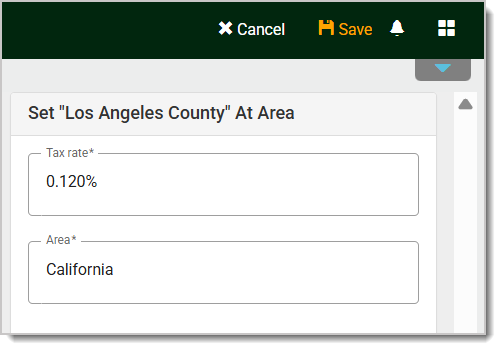
At any point, if you've already selected an existing Tax but want to create a new one, you can click on New from the top-right bar to clear the fields and start a new Tax.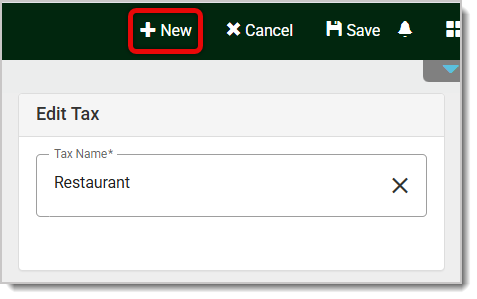
If you'd like to edit an existing Tax, click on it in the Taxes list, then change or add details.
If you need to edit a Tax Area, click on it below Tax Areas. Remember to Save your changes.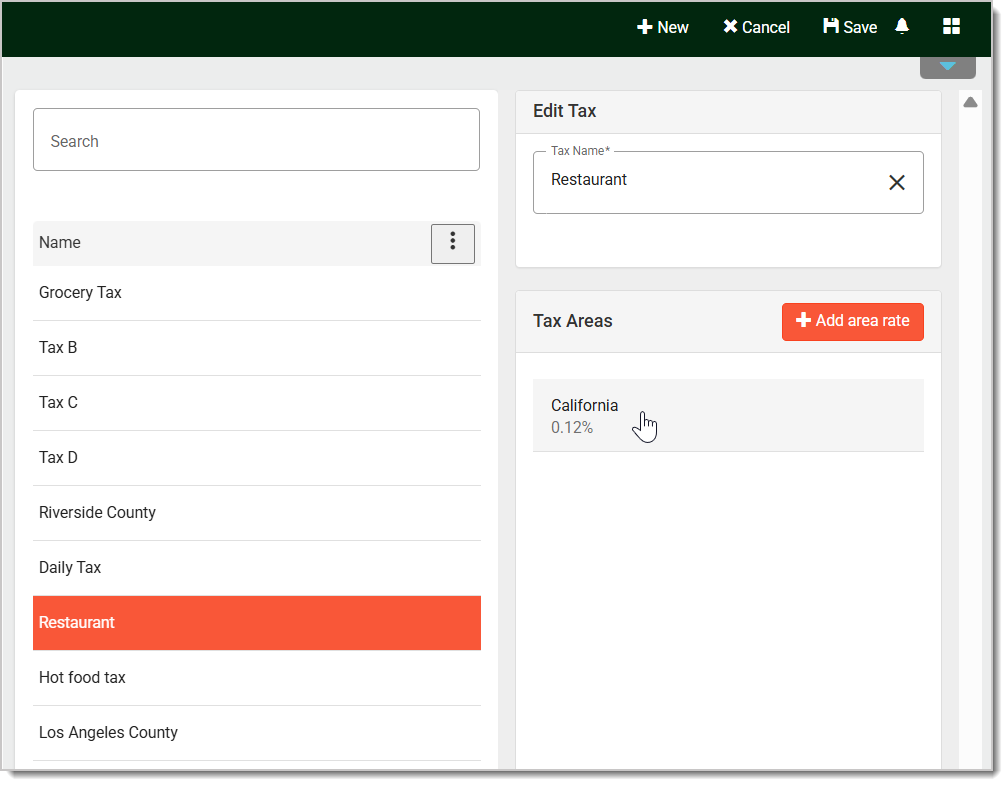
How to Disable Tax for a Customer
Q: Is it better to combine all tax rates in my area into one Tax or should I make separate taxes for city and state?
A: We recommend creating Taxes for each jurisdiction that levies taxes in your area so you can account separately for each as needed..
Q: I have a question, but I can't find my answer here. How do I get more assistance?
A: If you need immediate assistance, the IT Retail team is available 24/7. Feel free to contact our support team at 877-752-0625. You can also email us at support@marktpos.com, and we will respond within 24 hours.
Is this page helpful?
×Help us improve our articles