







Cashier Training
Welcome to IT Retail, we’re so glad you’ve chosen our POS for your store! This article will guide yo
 December 08, 2025
If your prices fluctuate often for some items you may want to have the system prompt you for the prices. This article will show you how to set that up for those products and how it works in the Front End. See what you can do!
You will need to log into the Back End to set up this function. Do the following steps to set up Prompt for Price for a product:
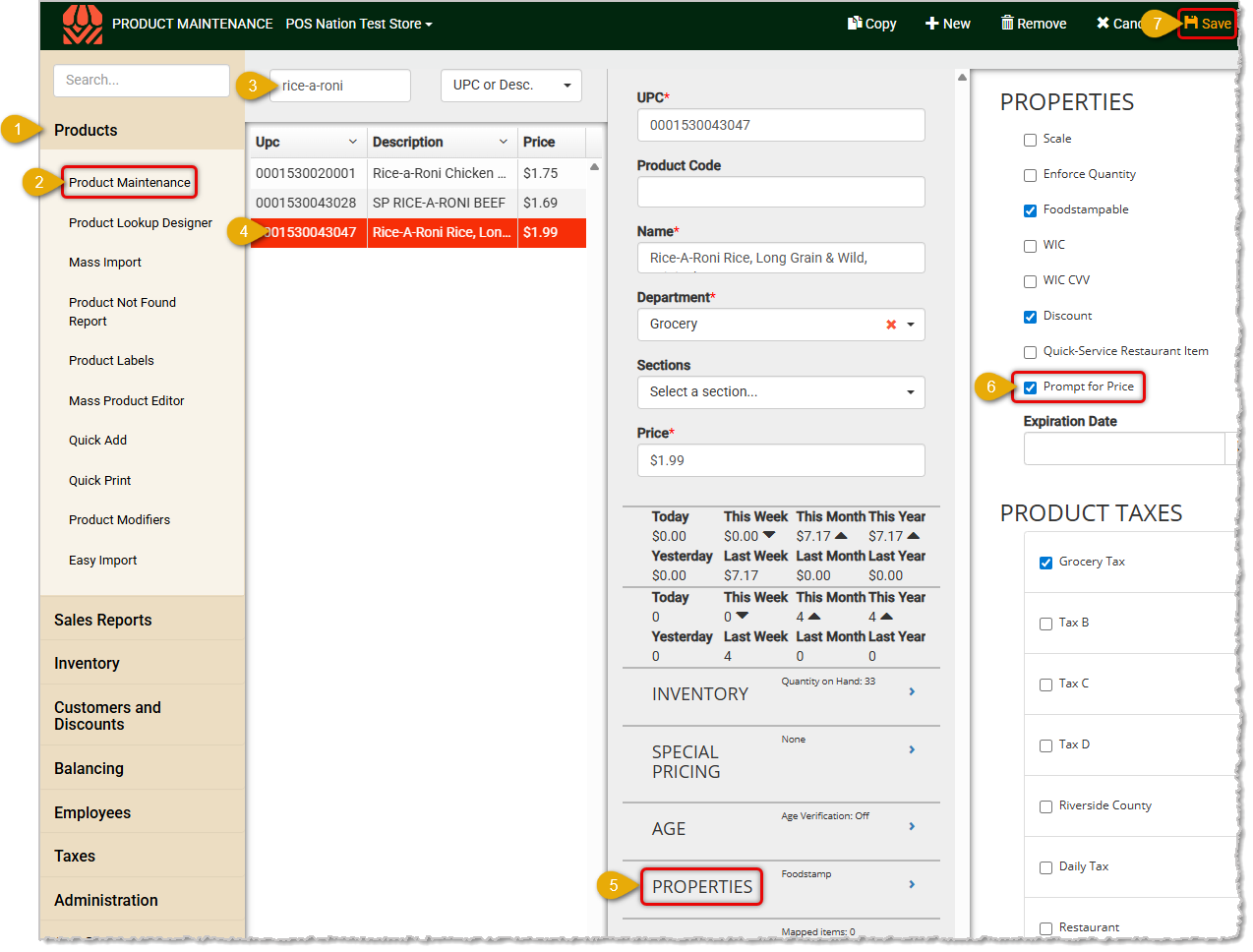
Repeat the above steps for any other products you need to prompt for the price. See the section below on how this works in the Front End.
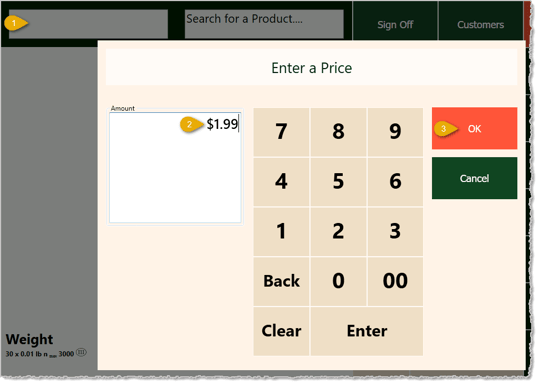
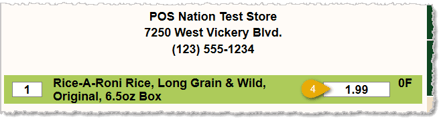
After logging into the Front End and starting a transaction, here are the steps for using Prompt for Price on an item:
Price Overrides in the Front End
Q: I have a question, but I can't find my answer here. How do I get more assistance?
A: If you need immediate assistance, the IT Retail team is available 24/7. Feel free to contact our support team at: 877-752-0625. You can also email us at support@marktpos.com and we will respond within 24-hours.
Is this page helpful?
×Help us improve our articles