







Manager Functions in the Front End
There is a wealth of administrative functionality for you in the Manager Functions area of the Front
 January 07, 2026
If you need a price checking tool, look no further than the IT Retail Price Checker page. This page is designed to work with a price checking device like the Zebra Customer Concierge. The Zebra Customer Concierge would have to be paired with a Bluetooth-enabled Zebra printer. Connect your printing device in the same way you would set up the POS Manager Printer. This functionality will not work with a smartphone. Keep reading to learn how you can set up Price Checking in the IT Retail Back End.
To start, you should first create a Back End Role for price checking or add permission for Price Checking to an existing Role.
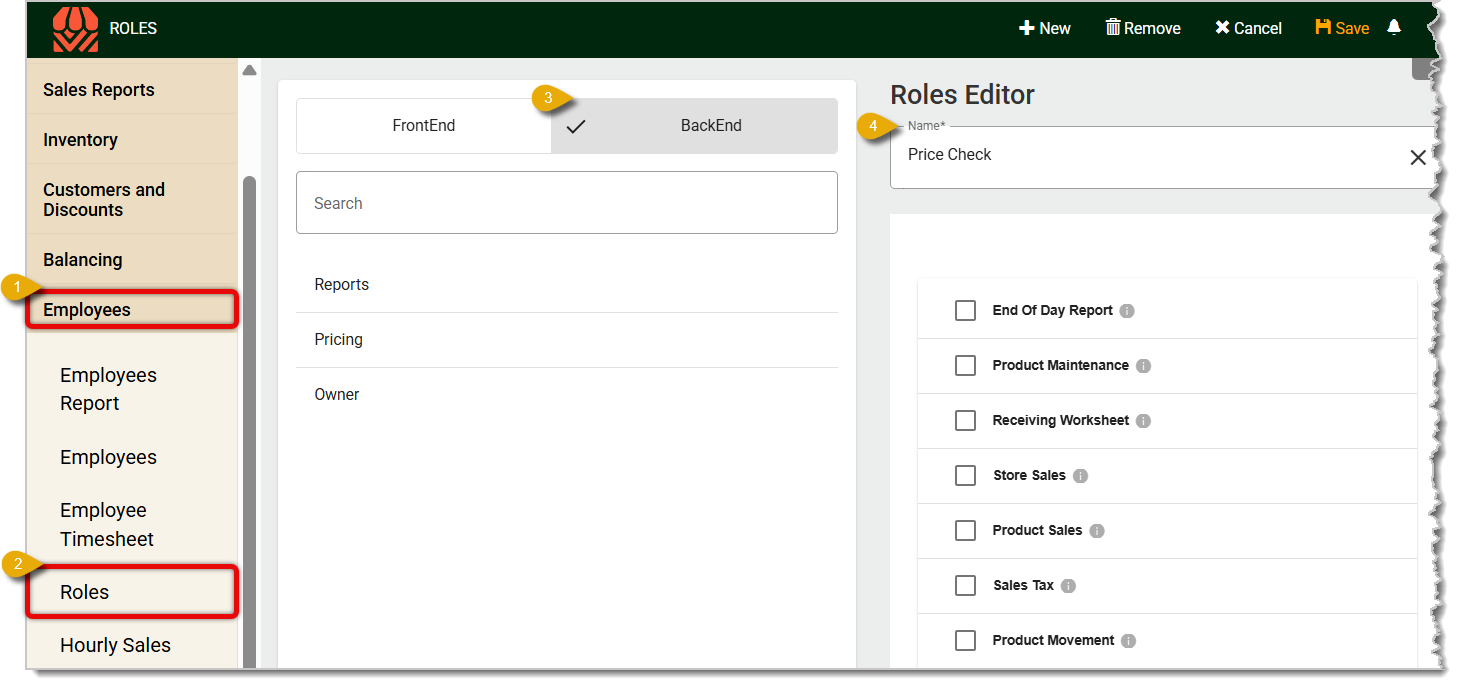
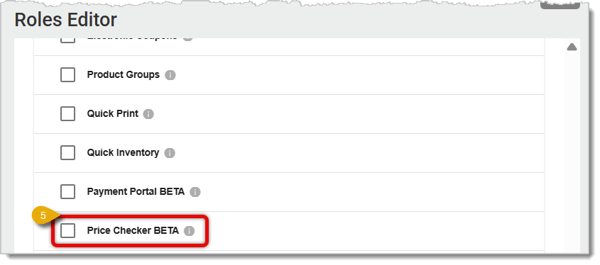
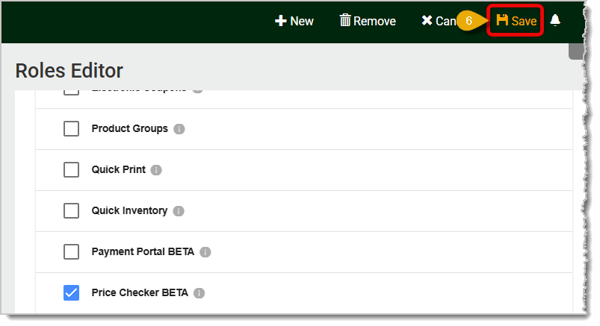
Any employee assigned to a Role with the Price Checker permission can now use it. You can assign employees to Roles by going to Employees > Employees > Click on an employee > Select a role.
Using your price checker device, have the employee log into the Back End with their credentials. Go to the Price Check page with this URL, or log into the Back End and go to Administration > Price Checker in the main menu.
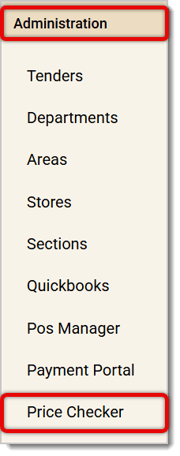
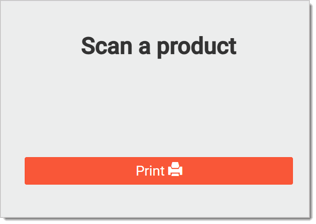
In the window pictured below, scan a product with your price checker device, and you'll see the price. Click or tap on the Print button to test the printer connection. Now you're all set to price check!
Q: I have a question, but I can't find my answer here. How do I get more assistance?
A: If you need immediate assistance, the IT Retail team is available 24/7. Feel free to contact our support team at 877-752-0625. You can also email us at support@marktpos.com, and we will respond within 24 hours.
Is this page helpful?
×Help us improve our articles