Giving Customer Reward Coupons in the Front End

November 25, 2025
You can grant customers loyalty rewards just for having a membership at your store, incentivizing them to come back again and again. This article will show you how to give a customer reward coupon in the Front End. See how easy it is!
Giving Customer Reward Coupons in the Front End
Please Note: You first have to enable customer loyalty in the Back End. Go to Administration > POS Manager > Security > Is customer loyalty enabled > Yes.
-
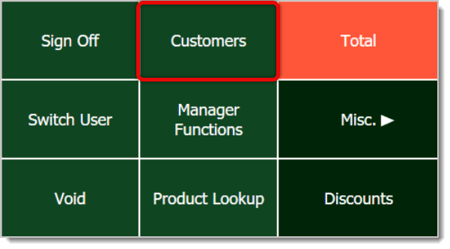
Add a Customer to the transaction in the Front End by clicking or tapping on the Customers button on the right.
-
From the resulting Customers window, select the Customer by clicking on their entry. You can use the search bar on the top or the Next / Previous buttons to navigate. 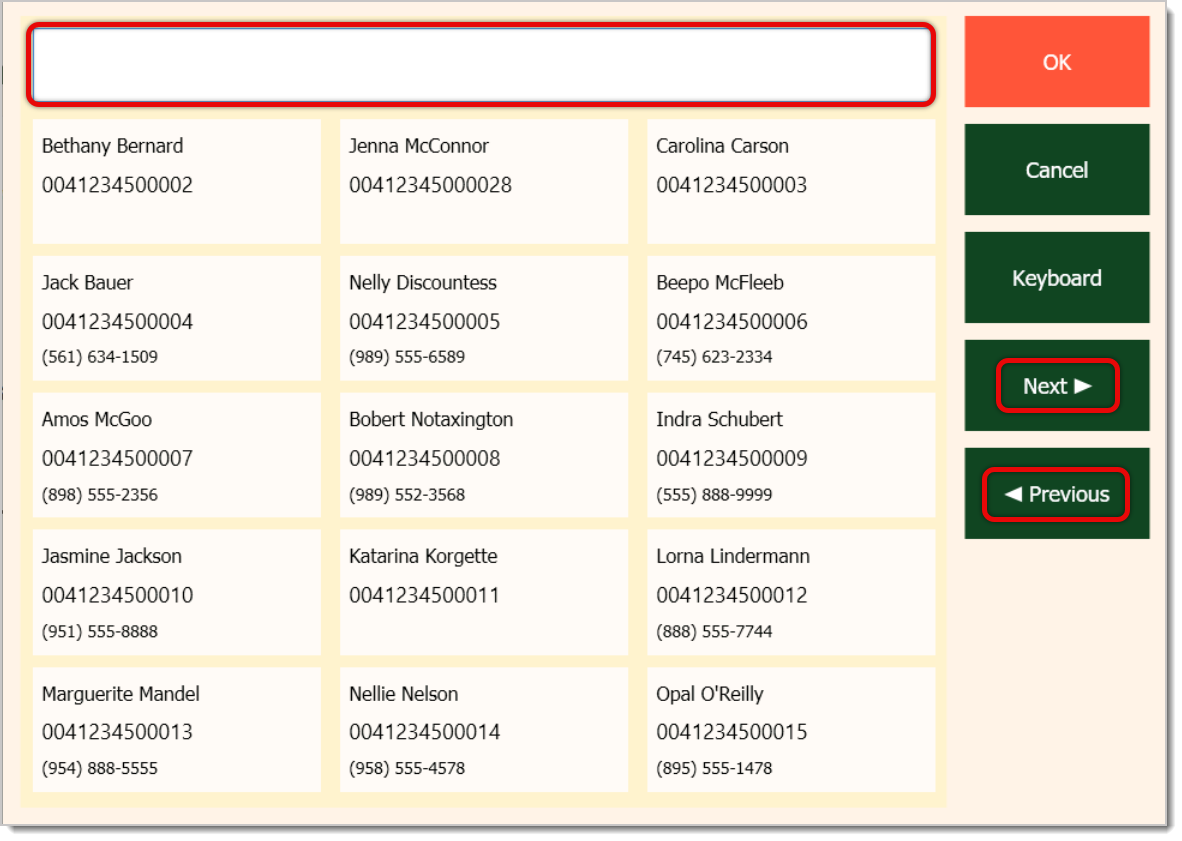
- Click on the OK button. If you need to create a new customer, you can do so from Manager Functions > Add a Customer.
- After adding the Customer, scan in or add their items into the transaction.
- Once you've added everything, click or tap on the Total button or Manager Functions button. If you choose to use Manager Functions, you'll see another window where you can click or tap on Customer Loyalty. However, the most efficient option would be to just click or tap Total. The Manager Functions menu is primarily meant to look up what’s available when you’re in the middle of a transaction.
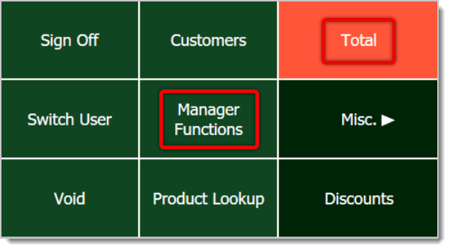
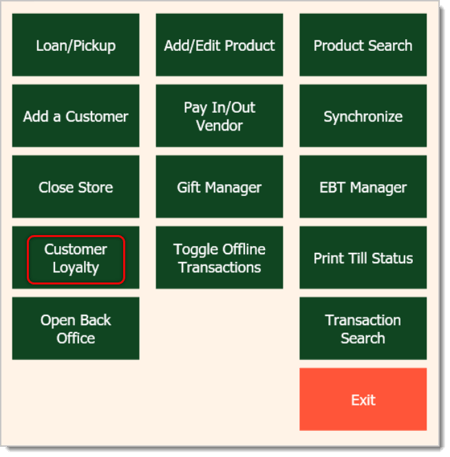
- If the customer's transaction meets the threshold for a reward, a window will pop up. It will note how many loyalty rewards the customer has available and will ask if you'd like to view them. Click or tap on Yes.
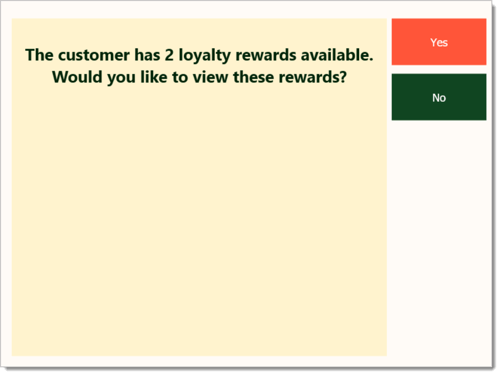
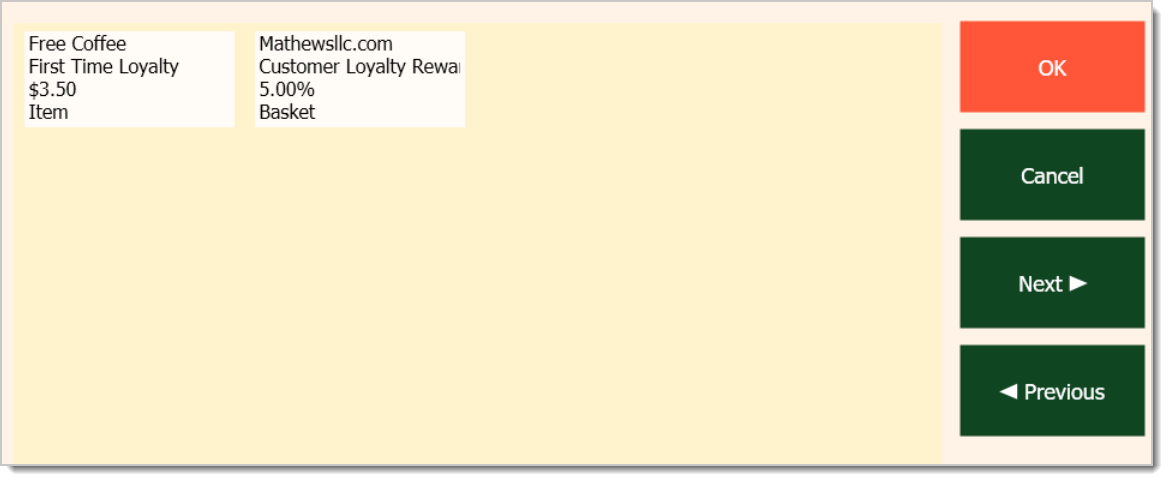
- Select a reward by clicking or tapping on it, then click or tap on OK.
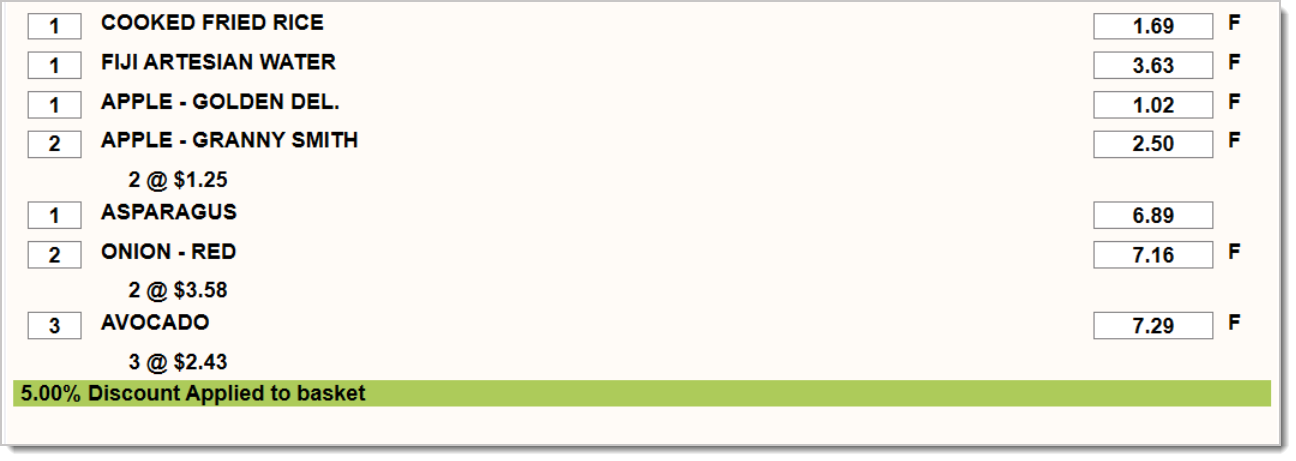
- Once the coupon is applied, it will display in the transaction right below the list of items.
Related Articles
How to Apply a Discount in the Front End
BOGO Coupons
Apply a Coupon in the POS
BOGO Coupons in the Front End
How to Create Customers in the Front End
Customer Loyalty
Customers
Discounts and Loyalty Rewards
Frequently Asked Questions
Q: I don't have customer loyalty enabled. How do I enable it?
A: In the Back End, go to Administration > POS Manager > Security > Is customer loyalty enabled > Yes.
Q: I have a question, but I can't find my answer here. How do I get more assistance?
A: If you need immediate assistance, the IT Retail team is available 24/7. Feel free to contact our support team at 877-752-0625. You can also email us at support@marktpos.com, and we will respond within 24 hours.
Welcome to IT Retail, we’re so glad you’ve chosen our POS for your store! This article will guide yo
Adding products to a customer’s transaction is straightforward. Below is a step-by-step guide on how
You can ring up a product as a Non-Scan item if it doesn’t have a UPC / PLU code or it's not yet reg








Is this page helpful?
×Help us improve our articles