







Manager Functions in the Front End
There is a wealth of administrative functionality for you in the Manager Functions area of the Front
 January 16, 2026
The POS Manager API Setup tab is where we configure IT Retail system integrations for websites (Grazecart) and Gift Cards. This article will inform you about those areas, and these are functions we will set up for you. Let us do the driving!
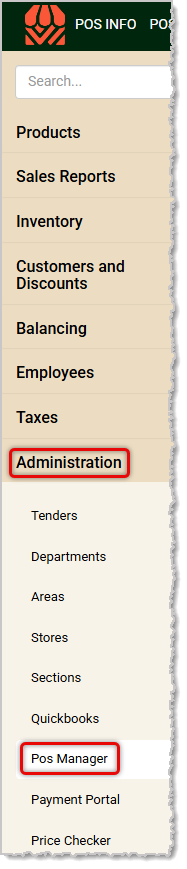
You can get to this part of the system by logging into the Back End and opening the Administration menu. Click on POS Manager to get started.
Once the POS Manager loads, you will automatically see the Security tab since it loads by default. For the API Setup tab, this is a highly technical area that's for the exclusive use of our support team in configuring the integrations described below, so you won't need to do anything here. Please do not change any of the settings you see on this page!
POS Manager Overview: Your System Settings
POS Manager Checkstand Receipt
Q: I have a question, but I can't find my answer here. How do I get more assistance?
A: If you need immediate assistance, the IT Retail team is available 24/7. Feel free to contact our support team at 877-752-0625. You can also email us at support@marktpos.com, and we will respond within 24 hours.
Is this page helpful?
×Help us improve our articles